설치
자동 설치 (권장)
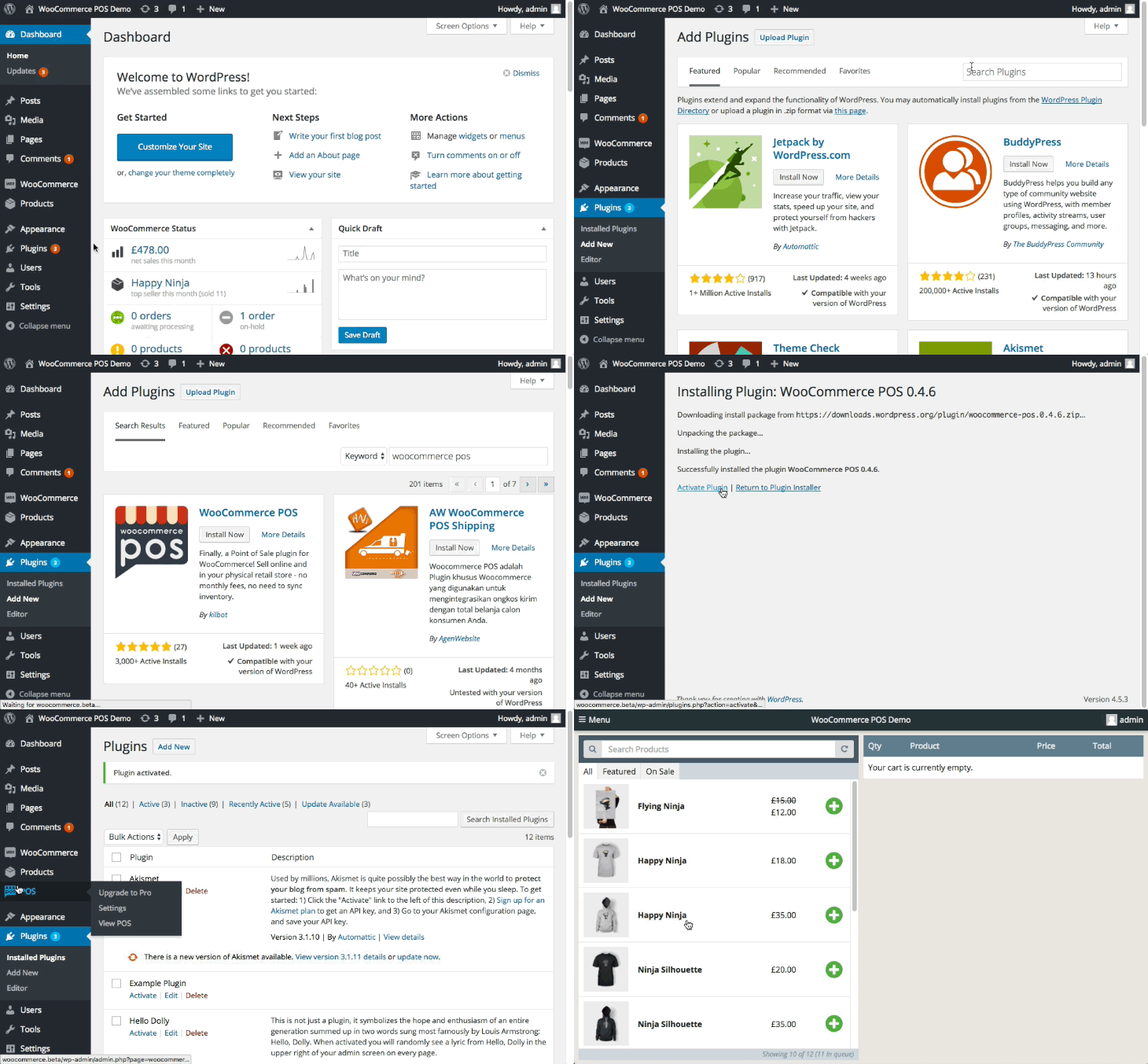
WP Admin > 플러그인 > 새로 추가로 이동합니다- WordPress 플러그인 디렉터리에서
WCPOS를 검색합니다 - 플러그인을 설치합니다
- 플러그인을 활성화합니다
수동 설치
- WordPress.org에서 WCPOS를 다운로드합니다
WP Admin > 플러그인 > 새로 추가 > 플러그인 업로드로 이동합니다- 플러그인을 활성화합니다
정보
이전 버전의 WCPOS는 WordPress.org의 개발자 탭에서 확인할 수 있습니다.