Keyboard Shortcuts
Keyboard shortcuts provide quick access to frequently used functions in the POS application.
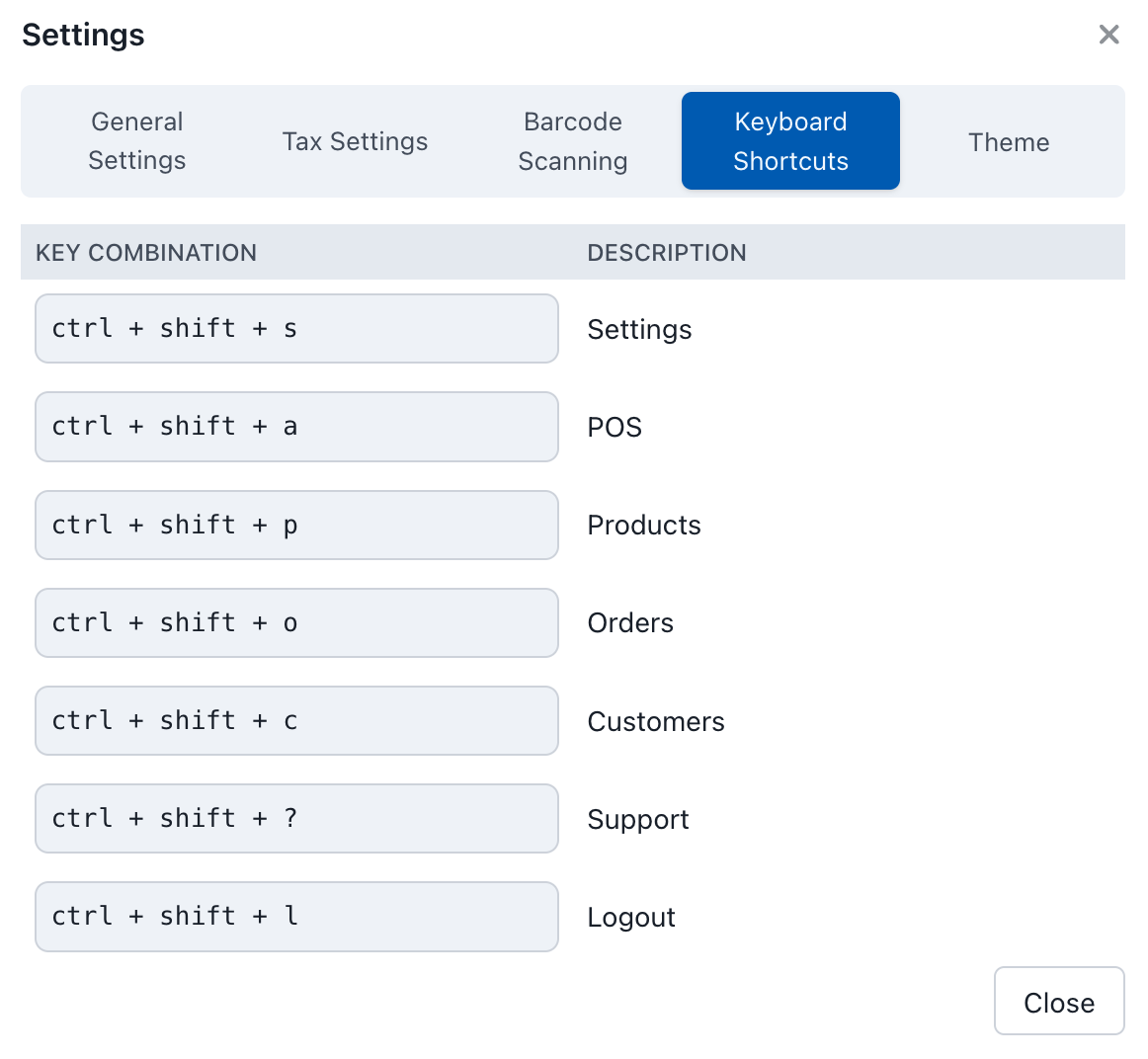
Keyboard Shortcuts
Available Shortcuts
| Key Combination | Action | Description |
|---|---|---|
Ctrl + Shift + S | Settings | Opens the POS settings panel |
Ctrl + Shift + A | POS | Navigates to the main POS screen |
Ctrl + Shift + P | Products | Opens the products management screen |
Ctrl + Shift + O | Orders | Opens the orders management screen |
Ctrl + Shift + C | Customers | Opens the customers management screen |
Ctrl + Shift + ? | Support | Opens the support/help section |
Ctrl + Shift + L | Logout | Logs out of the current session |
Using Keyboard Shortcuts
To use any keyboard shortcut:
- Hold down the modifier keys (
Ctrl + Shift) - Press the action key (the letter corresponding to your desired action)
- Release all keys to execute the command
Tips for Efficient Use
- Memorize frequently used shortcuts: Focus on learning the shortcuts for actions you perform most often
- Practice the key combinations: Regular use will help build muscle memory
- Use shortcuts during busy periods: Keyboard shortcuts can significantly speed up operations during peak hours
Customisation
Feature Request
Keyboard shortcut customisation is currently not available. The shortcuts listed above are fixed and cannot be modified through the settings interface.
If you would like to customise keyboard shortcuts, please share your feedback on Discord.